Macros Dash
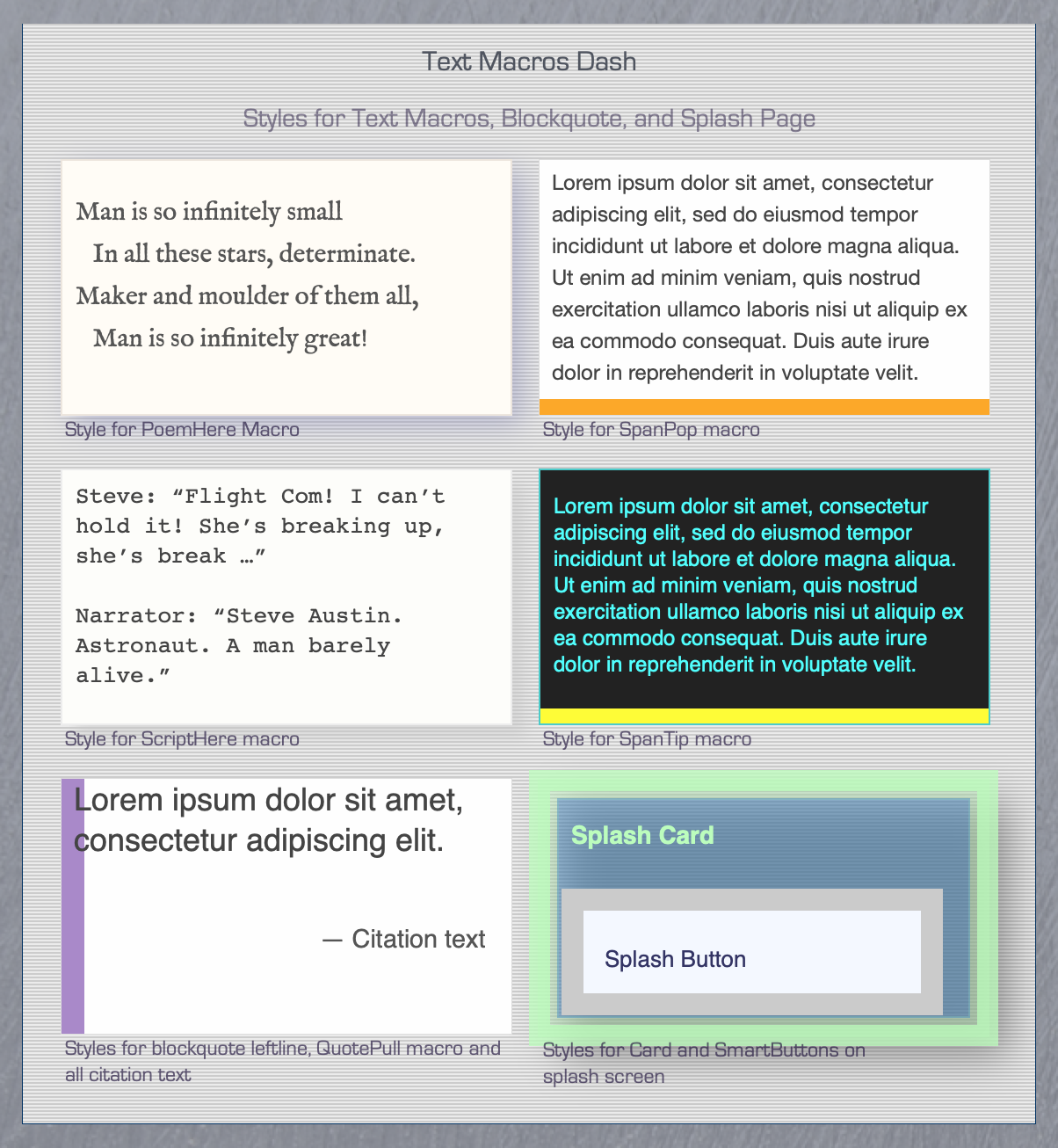
The Macros Widget
As of version 1.8, you can modify the styling for the PoemHere, ScriptHere, SpanPop, SpanTip, and QuotePull macros—as well as for all citation text. Just select the Macros Widget and hit the down-arrow on your keyboard.
- PoemHere and ScriptHere — Set
$NameFont,$NameColor, and$Colorto assign the font-family, font color, and background-color. You can also set their border and box-shadow in WYSIWYG fashion. - SpanPop — Set
$NameFont,$NameColor, and$Colorto assign the font-family, font color, and background-color. Setting$AccentColorsets the color of the thick underline that designates both SpanPop (solid) and SpanTip (dotted) links in your export. - SpanTip — Set
$NameFont,$NameColor, and$Colorto assign the font-family, font color, and background-color. You can also determine border style (N.B.— border radius is not WYSIWYG). Setting$AccentColorsets the color of the SpanPop (solid) and SpanTip (dotted) links in the sidebar. Useful when your sidebar uses a different background color. - QuotePull — Set
$NameColorto to assign the font color for large pull-quote text. Note that setting$SubtitleColorsets the font color for all citation text (i.e., for QuoteHere, PoemHere, and ScriptHere macros; as well as for the two quote prototypes, quote_note and quote_ana_note).