How To: Research Browser
BoxPress can export your notes as an academic research and discovery system.
Sometimes the presentation of information can aid in the discovery process. BoxPress has some advanced export features that aid your pursuit of further discovery:
- Research Prototypes receive distinct layouts, with Featured Image and a metadata Undertitle tailored for each, creating a highly legible montage, perfect for reviewing and further consideration.
- The PanelZoom macro gives your export a level of integrity and interrelatedness unavailable on any other system by linking your ideas to both their source note and to online resources automatically—all in a compact and attractive design.
- Choose from three levels of granularly—seamless, blocked, and SmartButtons—to precisely control the layout and pace of summary and expansion.
- People, books, quotes, events, and journal articles can be collected by agents into awesome looking synoptic SmartButton indices. Just use descendedFrom() and the Research Prototype in the
$AgentQuery. - Or create a sectioned index by using multiple agents (or manually populated containers) and adding the BLOCKS export option to their container!
DIY
- Trim frame amenities. Add the NOBANNER frame option to normal_note to remove the Banner from all non-special pages.
- Suppress dating. Add the NODATE export option to normal_note to remove all dating from your essays.
- Stock the navbar and make it sticky. Repopulate the navbar with vital links., dropdown, separators, and bookmark links. Make the navbar sticky by setting its
$Stickyto true. - Reinvent the sidebar. Rename (and re-sort) the sidebar to serve as a special index of buckets. See here for how. Change the sorting of cat_note to make these buckets themselves sorted … or not.
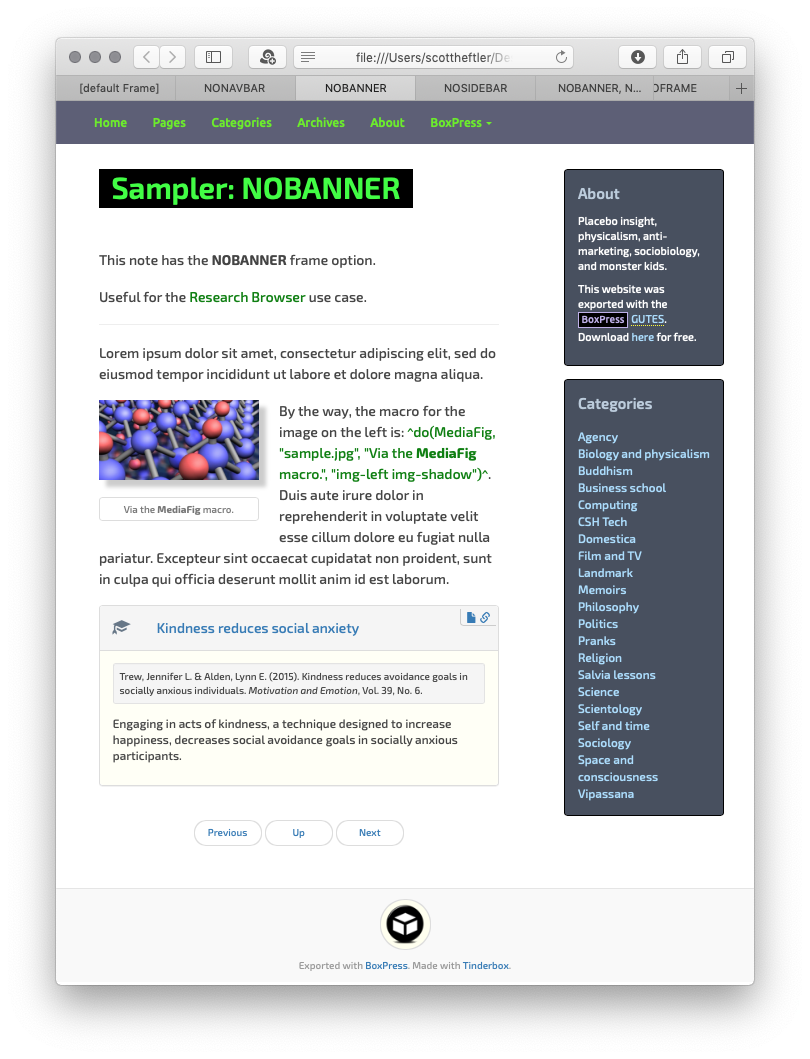
Export with $blogFrameOpt set to NOBANNER.
Exports automatically include research data in their Undertitle
Notes using one of the Research Prototypes automatically include relevant metadata in an Undertitle:
- During normal export. Undertitles are included for every note that is part of an export—webpages, subsections, and SmartButtons.
- When using the
^include^export code. Undertitles are included when you embed a note as a seamless subsection, SmartPanel, or SmartButton (using the bstSub, bstPanel, and bstSB templates, respectively). - When you embed a note with the convenience macros IncPanel and IncSB.